Simulating Futures Trades: Best Tools
Looking to practice futures trading without risking real money? Simulation tools can help you refine strategies, test systems, and gain experience in a safe environment. Here's a quick breakdown of the top platforms covered:
- NinjaTrader: Free to use, features live market data, a powerful Market Replay tool, and advanced backtesting. Great for beginners and intermediate traders.
- Sierra Chart: Offers detailed simulations with historical bid/ask data, supports multiple accounts, and excels in technical analysis. Ideal for advanced users.
- TradeStation: Provides realistic fills, extensive historical data, and built-in tools for strategy development. Perfect for active traders.
- X_TRADER: Focuses on order routing but lacks robust simulation features compared to others.
Each platform caters to different needs, from simple simulations to advanced strategy testing. Below, we dive into their features, pricing, and strengths to help you choose the right tool.
Quick Comparison:
| Platform | Key Features | Pricing | Best For |
|---|---|---|---|
| NinjaTrader | Free simulation, Market Replay, C# customization | Free for simulation | Beginners, strategy testers |
| Sierra Chart | Tick-by-tick data, 400 accounts, fast execution | Subscription-based | Technical traders |
| TradeStation | Realistic fills, EasyLanguage, historical data | Included with funded accounts | Active traders |
| X_TRADER | Order routing, limited simulation features | Contact for pricing | Professionals focusing on execution |
Tip: Start with free trials and aim for at least 200 simulated trades to build confidence before going live.
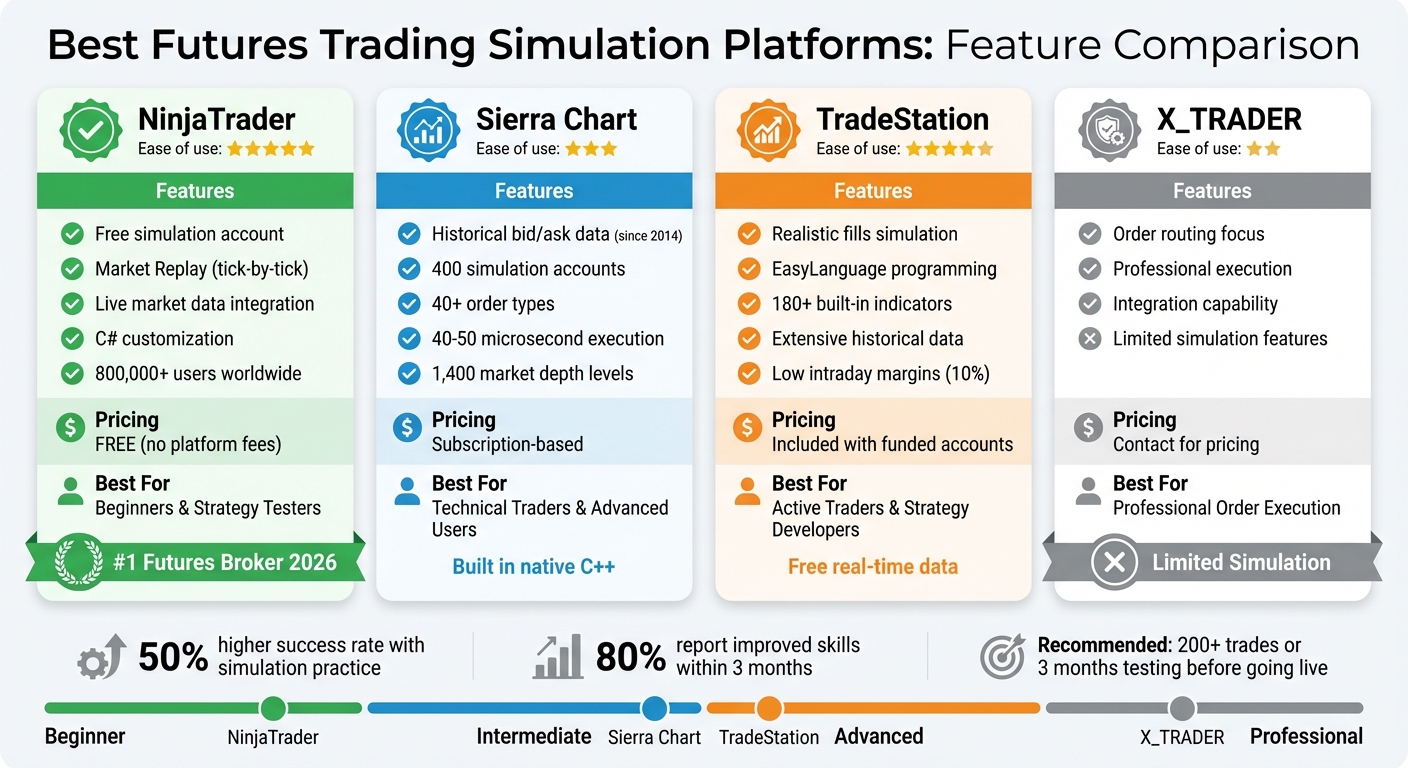
Futures Trading Simulation Platforms Comparison Chart
1. NinjaTrader
Simulation Realism
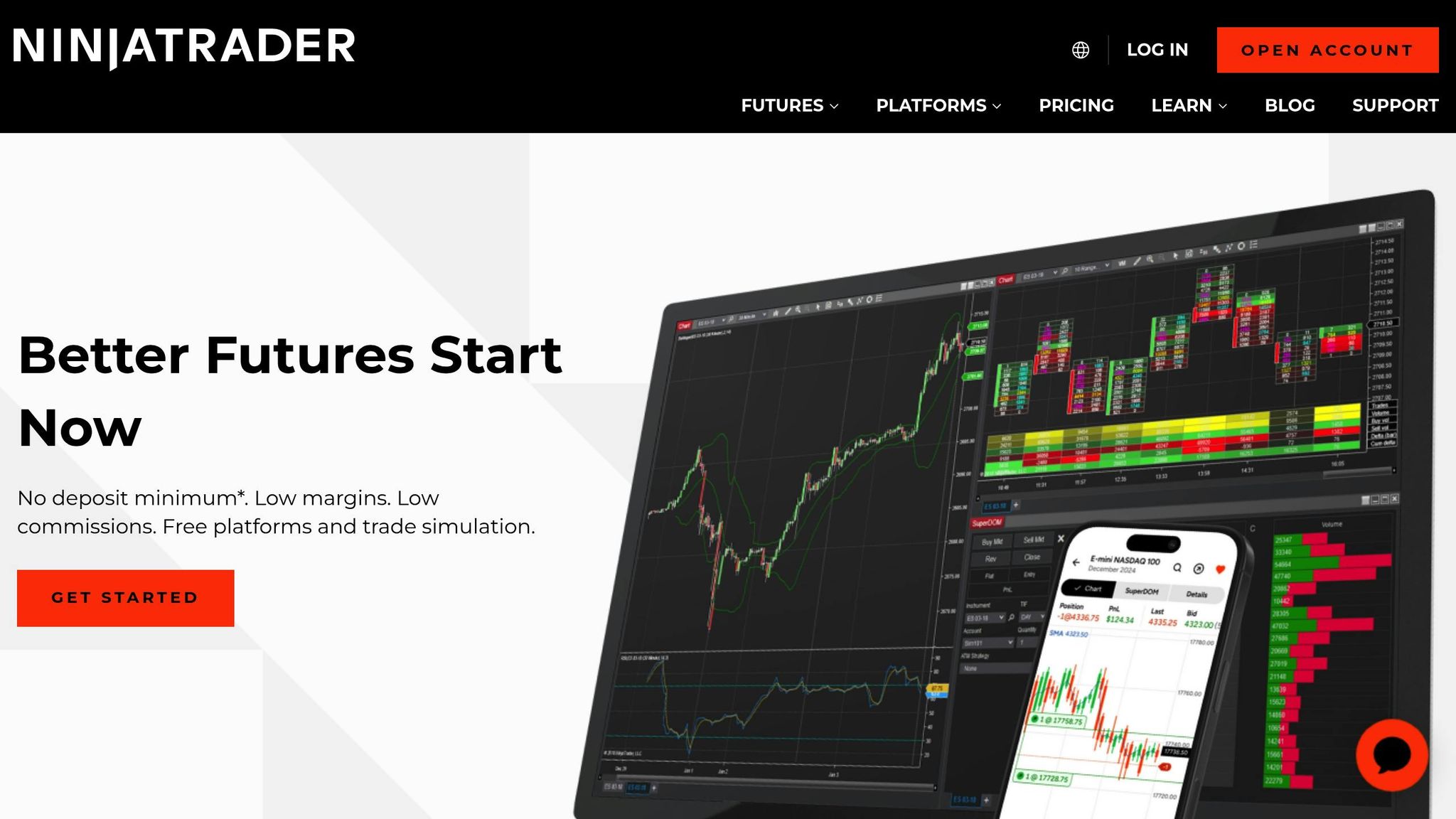
NinjaTrader offers a simulation environment that mirrors live trading conditions with impressive accuracy. Its built-in Sim101 account keeps track of essential metrics like cash balance, profit and loss, and more, providing a close replica of a live trading account[2]. You can tweak settings such as starting cash, commission rates, and minimum balance requirements to align with real-world trading scenarios[2].
What sets NinjaTrader apart is its integration of live-streaming market data directly into the simulation. This means you’re practicing with actual market movements in real time[1]. Unlike many simulators that feel artificial, this approach delivers an authentic experience, complete with genuine price action and market volatility. It’s a seamless blend of realism and functionality, enhanced by NinjaTrader’s technical tools.
Technical Features
With over 800,000 traders worldwide relying on NinjaTrader[2], the platform delivers a robust set of tools and platforms for automated futures simulation and analysis. One standout feature is Market Replay, which allows you to replay historical tick-by-tick data at speeds up to 1,000 times faster than real time. This feature is perfect for revisiting high-volatility scenarios and practicing strategies under pressure[8]. Additionally, the platform’s synchronized data ensures a smooth, real-time trading experience.
The intuitive Chart Trader interface lets you place orders directly from charts. Whether it’s market, limit, stop, or market-if-touched orders, the context-sensitive menus make execution quick and efficient[8]. For traders testing automated strategies, the Simulated Data Feed includes a "Trend Slider", which gives you manual control over market direction - ideal for testing scenarios like sudden reversals or unpredictable market conditions[8].
Backtesting Capabilities
NinjaTrader’s high-performance backtesting engine is another highlight, enabling traders to validate strategies against years of historical data without financial risk[1]. For those who aren’t programmers, the Strategy Builder offers a user-friendly point-and-click interface for creating and testing strategies[5]. Advanced users, on the other hand, can leverage a modern C# development framework to design custom indicators and complex trading systems[7]. To top it off, the Trade Performance window delivers detailed metrics like win rates and profit/loss stats, giving you the insights needed to fine-tune your strategies[8].
Pricing
One of NinjaTrader’s biggest draws is that advanced charting, backtesting, and trade simulation are available at no cost - there are no platform fees[6][7]. New users can also take advantage of a free 14-day trial that includes live-streaming market data[1]. There’s no minimum deposit required to open an account, though ACH and debit card transfers do require a $5.00 minimum[1][5]. NinjaTrader’s excellence hasn’t gone unnoticed - it was named the #1 Futures Broker in 2026 by BrokerChooser.com and received the 2024 Stocks & Commodities Readers' Choice Award for Best Trading Software[7].
2. Sierra Chart
Simulation Realism
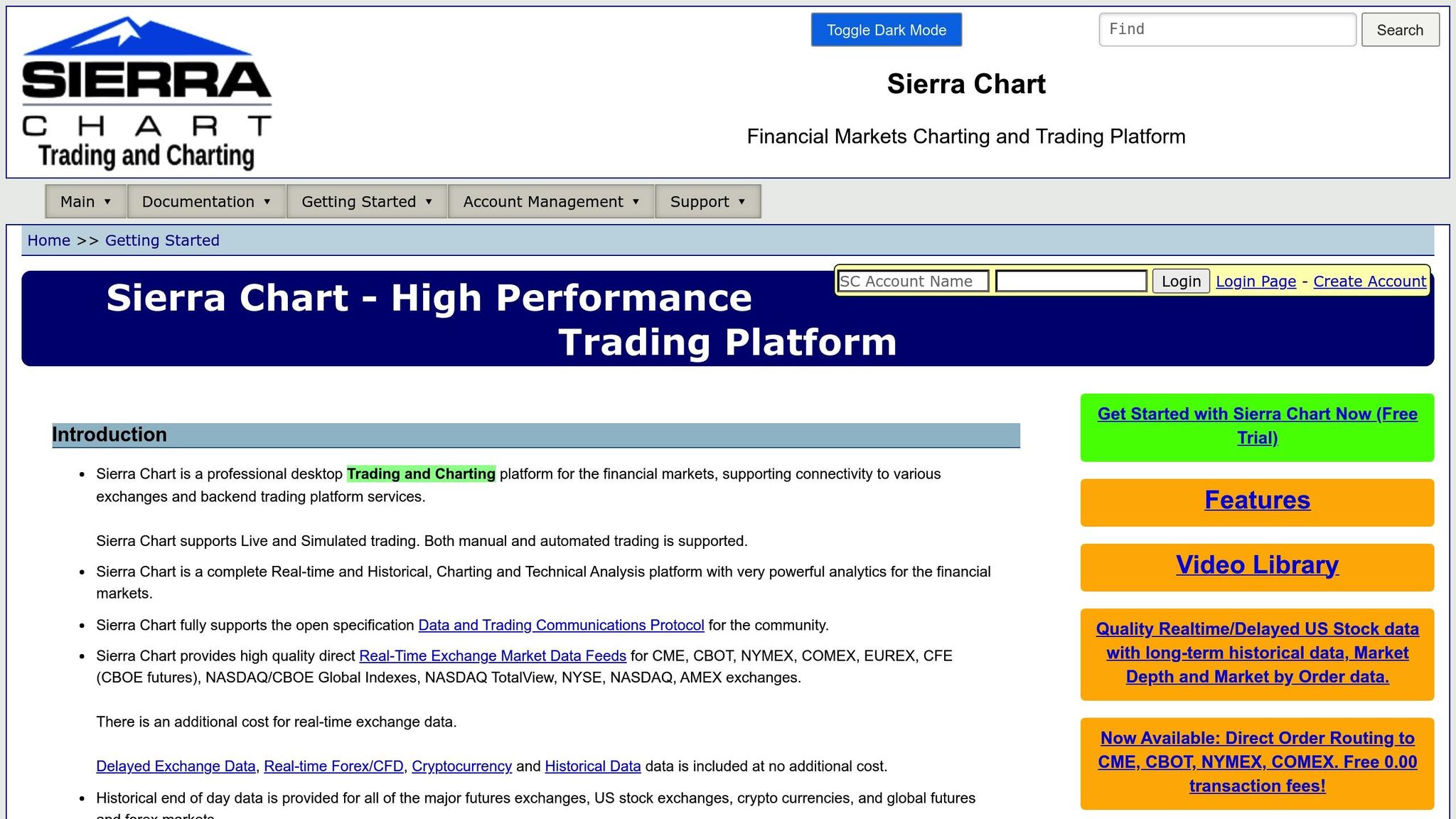
Sierra Chart provides a highly realistic trading simulation experience through its Internal Trade Simulation Mode and Server-side Simulated Trading Service. These features replicate live trading conditions by processing orders remotely and tracking the Estimated Position in Queue (PIQ). This means your simulated limit orders only execute once the queue ahead of you is cleared - just like in actual market scenarios [4][9]. For historical testing, Sierra Chart employs "Method 1", which uses actual recorded bid and ask prices from as far back as June 23, 2014. This approach allows for precise tick-by-tick simulations [9].
The platform supports up to 1,400 levels of market depth when paired with the Denali or Delayed Exchange Data Feeds. Additionally, it allows users to operate up to 400 simulation accounts simultaneously, making it ideal for testing multiple strategies at once [4][9]. The server-side simulation service is designed for uninterrupted availability, running 24/7 [4].
This strong simulation foundation is further enhanced by Sierra Chart's technical design, which prioritizes speed and accuracy.
Technical Features
Built in native C++, Sierra Chart avoids the performance drag of frameworks like Java or .NET. It processes external orders with incredible speed - executing them within 40–50 microseconds [11]. The platform supports over 40 order types, including OCO (One Cancels Other), bracket orders, trailing stops, and market-if-touched orders [13].
Its chart replay functionality is highly customizable, with playback speeds ranging from 0.1x to 100,000x the normal market speed. Even during demanding tasks like large data downloads or running multiple automated systems, the platform remains responsive thanks to multi-core CPU optimization [13]. For automated trading, users can develop strategies using Excel-compatible spreadsheets or the Advanced Custom Study Interface and Language (ACSIL) [13].
Risk management is another strong point, with tools like server-side daily loss limits (set by currency or percentage), position limits, and margin requirement calculations [4].
Backtesting Capabilities
Sierra Chart offers two distinct backtesting methods, catering to different needs for strategy validation.
- Bar Based Back Testing: This method uses Open, High, Low, and Close data for a quicker but less detailed evaluation. It's perfect for rapid strategy testing.
- Replay Back Testing: For more precise analysis, this method uses intraday data at intervals ranging from 1 tick to 1 minute. By adding detailed data incrementally to the chart, it delivers a much higher level of accuracy [15].
For the best results, users can set the Intraday Data Storage Time Unit to "1 Tick", ensuring simulations use actual recorded bid and ask prices [9][15]. Additionally, Sierra Chart keeps a historical order fill history for at least three years, offering a valuable resource for long-term strategy assessments [4].
Pricing
Sierra Chart combines affordability with powerful performance [12][14]. Users can access delayed data for major exchanges - including CME, CBOT, NYMEX, COMEX, and EUREX - at no cost. Real-time data and external feeds are available for standard fees [4][10][12][14].
The Simulated Trading Service is entirely self-contained, meaning no broker or exchange fees are necessary when using delayed data [4]. For those who need direct order routing to CME, CBOT, NYMEX, and COMEX, Sierra Chart offers this service with $0.00 transaction fees [12].
3. TradeStation
Simulation Realism
TradeStation offers a simulated trading experience that closely mirrors live market conditions, complete with free real-time data for retail traders. It integrates professional-grade tools like Matrix, RadarScreen, and advanced charting, allowing users to switch effortlessly between simulated and live trading modes. Simulated accounts are clearly labeled with "SIM" and marked as "Simulated Acct" to avoid confusion. These accounts are limited to symbols for which users have active real-time data access [16][17]. Additionally, users can manually reset their simulated account balances to test strategies across different capital levels. This setup creates a realistic environment for honing trading techniques.
Technical Features
TradeStation comes packed with over 180 built-in indicators and features EasyLanguage, a programming tool designed for creating and automating custom strategies without requiring deep coding skills [16]. The simulator supports strategy automation, advanced order types, and alternate market types, all designed to replicate live trading scenarios as closely as possible. To ensure clarity, visual cues like the "Sim" label in the status bar and specific account prefixes help users avoid mistakenly placing live trades [17]. These features also make it easier to transition from simulation to comprehensive backtesting.
Backtesting Capabilities
With access to a vast historical database, TradeStation allows users to test their strategies against past market conditions. The platform supports both traditional backtesting and forward performance testing using real-time data [16]. EasyLanguage further simplifies the process of automating and testing unique trading ideas, ensuring they perform as expected under real-time conditions before committing actual funds.
Pricing
The simulator is included with funded TradeStation accounts. These accounts benefit from free real-time data and avoid additional data fees, making it an attractive option for retail traders [16].
The Best Trading Platforms In 2025 (Crypto, Futures, Options, Forex)
4. X_TRADER
X_TRADER, created by Trading Technologies, is best known as an order routing tool rather than a platform designed for simulation. It's widely used in professional trading environments to facilitate order execution but lacks the comprehensive simulation features that some traders may look for.
Trading Technologies' infrastructure can also be integrated with platforms like Sierra Chart for executing trades [11]. However, this combination doesn't provide much clarity on simulation capabilities as a standalone feature.
For traders aiming to test strategies using equity curve simulators in a realistic environment, X_TRADER's limited documentation makes it challenging to assess its effectiveness for this purpose. If you're considering X_TRADER for futures simulation, it's a good idea to reach out directly to Trading Technologies for the most up-to-date details on its features and pricing.
While X_TRADER excels in order routing, its simulation tools are not as comprehensive as those offered by other platforms.
Platform Comparison: Strengths and Weaknesses
Each trading platform brings its own strengths to the table, tailored to suit various trading objectives. Here's a breakdown of their simulation features and how they stack up.
NinjaTrader stands out with its Market Replay feature, which allows users to replay historical data tick-by-tick. This creates an experience that closely mirrors live market conditions[1]. For funded accounts, NinjaTrader offers unlimited simulated trading without any platform fees[1]. These features make it a solid choice for traders seeking in-depth market analysis.
Sierra Chart takes a different approach, utilizing recorded Bid/Ask data dating back to 2014 for highly accurate backtesting. When tick data is unavailable, it estimates Bid/Ask prices using high/low/close data[9]. A unique feature is its support for up to 400 separate simulation accounts, which is particularly useful for testing multiple strategies simultaneously[9]. However, it requires a paid subscription, with pricing details depending on the plan[9].
TradeStation focuses on providing realistic fills, simulating real-world execution delays and order flow friction to prepare traders for live conditions[18]. It also offers extensive historical data for U.S. and Eurex contracts, enabling thorough backtesting of custom strategies[19]. Additionally, its futures margin and risk management strategies - sometimes as low as 10% - make it appealing for active traders[19].
X_TRADER, on the other hand, shines in order routing rather than simulation. It integrates seamlessly with platforms like Sierra Chart for trade execution[11]. However, its simulation capabilities are less documented, making it harder to evaluate. Traders interested in using X_TRADER for futures simulation should reach out to Trading Technologies for the latest feature updates.
When testing these platforms, it's essential to conduct replay experiments and compare simulated slippage and partial fills against live executions to identify any biases[18]. Before transitioning from simulation to live trading, aim for a minimum of 200 executed trades or at least three months of consistent performance. This helps avoid misleading results from small sample sizes[18]. Notably, statistics indicate that traders using simulations are about 50% more likely to develop successful strategies, with 80% reporting improved trading skills within three months of simulator use[18].
Conclusion
Different trading platforms offer simulation features tailored to a variety of trader needs. The key is to pick one that aligns with your experience level, budget, and trading objectives.
NinjaTrader is a solid choice for beginners and intermediate traders looking for a straightforward, cost-effective option. It provides unlimited simulated trading at no cost and includes a 14-day free trial with live market data, giving you a risk-free opportunity to refine your strategies [1].
Sierra Chart stands out for technical traders who require advanced features like server-side simulations and order types such as OCO and bracket orders. While it does require some manual setup - like configuring tick sizes and data storage settings [3][20] - its capacity to handle multiple strategy tests at the same time makes it ideal for in-depth technical analysis. Keep in mind, though, that data service fees may apply.
TradeStation is well-suited for active traders and strategy developers aiming to transition to live trading. With realistic execution, low intraday margin requirements, and a wealth of historical data for U.S. and Eurex contracts, it provides a comprehensive toolkit for serious traders [19].
Before deciding on a platform, take advantage of free trials. Aim to complete at least 200 simulated trades or dedicate three months to consistent testing. This will help ensure your chosen platform delivers reliable performance and avoids skewed results from limited data samples [18]. The right simulation platform can set the stage for confident and successful live trading.
FAQs
How do NinjaTrader and Sierra Chart compare for futures trading simulation?
NinjaTrader provides a comprehensive simulation experience through its Sim101 paper-trading account, which mirrors real-world trading conditions. This account tracks essential metrics such as cash balance, profit and loss, commissions, and margin requirements - all of which can be tailored to your preferences. For added flexibility, the platform includes a free simulator for funded accounts, a 14-day trial with live market data, and a back-testing tool that allows you to replay historical market activity as if it were happening in real time.
Sierra Chart takes a slightly different approach with its Simulated Futures Trading Service, seamlessly built into the platform. This feature delivers a simulation experience driven by its advanced charting and order execution tools. Simulated trades can be executed using either live or historical data, emphasizing precision in charting. However, unlike NinjaTrader’s Sim101 account, Sierra Chart focuses more on its charting capabilities rather than offering a dedicated account interface for simulation.
What are the benefits of using TradeStation’s EasyLanguage for building trading strategies?
TradeStation’s EasyLanguage is a scripting language designed to make life easier for traders who want to create custom indicators, studies, or automated strategies - without needing to be programming experts. Its straightforward, English-like syntax allows users to translate their trading ideas into functional code directly within the TradeStation platform.
What sets EasyLanguage apart is how smoothly it integrates with TradeStation’s simulation and back-testing tools. With the same code, traders can analyze historical market data, tweak parameters, and test strategies in conditions that mimic real-world scenarios - all before putting any money on the line. This end-to-end process, from designing strategies to testing and executing them live, gives traders a clearer view of their approach and helps them make more informed decisions.
By simplifying strategy development and offering powerful simulation tools, EasyLanguage provides a safe and efficient way for traders to build, test, and refine their ideas without financial risk.
Why is X_TRADER potentially less effective for futures trade simulations?
Currently, there’s limited information about X_TRADER’s simulation tools or how its paper-trading functionality stacks up against platforms like NinjaTrader, TradeStation, or Sierra Chart. Without more clarity on the features it offers for testing strategies, it’s tough to gauge how well it supports futures trade simulations.
If you have any specific insights into X_TRADER’s capabilities, it would help in comparing its effectiveness using the same benchmarks applied to the other platforms mentioned earlier.