Free Futures Practice Simulators for 2026
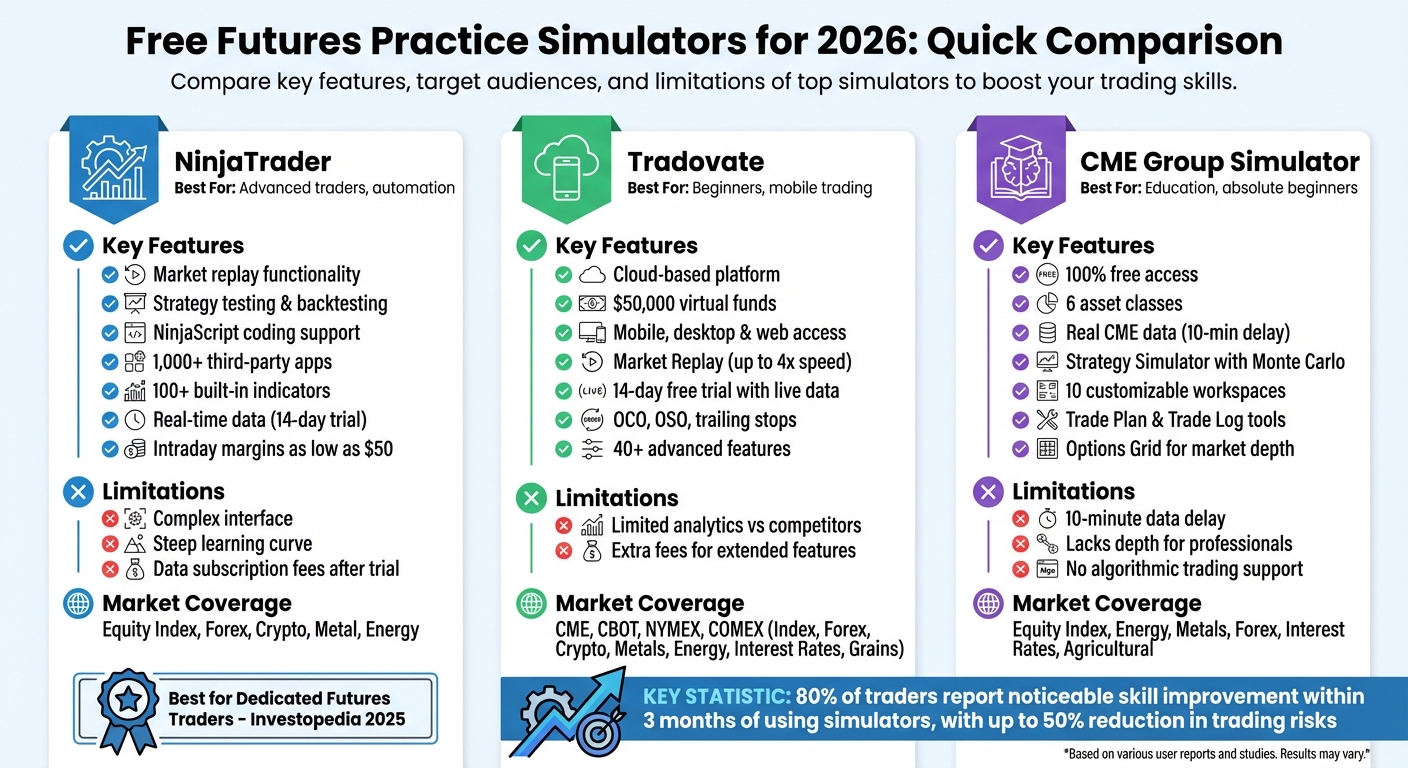
Futures trading simulators let you practice trading without financial risk. They mimic real market conditions, helping you understand order types, margin requirements, and contract details. This article compares three free simulators - NinjaTrader, Tradovate, and CME Group - each offering unique tools for traders at different experience levels.
- NinjaTrader: Best for advanced traders. Offers market replay, automation tools, and custom strategies but has a steep learning curve.
- Tradovate: User-friendly, cloud-based platform with mobile access. Great for beginners but lacks advanced analytics.
- CME Group Simulator: Focused on education with free access to six asset classes. Ideal for beginners but limited for long-term use.
Quick Comparison:
| Simulator | Best For | Key Features | Limitations |
|---|---|---|---|
| NinjaTrader | Advanced traders, automation | Market replay, strategy testing, coding | Complex interface, learning curve |
| Tradovate | Beginners, mobile trading | Cloud-based, $50K virtual funds, mobile | Limited analytics, extra fees |
| CME Group | Education, beginners | Free access to CME products, basic tools | Lacks depth for professionals |
Each platform suits different needs, making it easier to transition from practice to live trading. Read on for detailed insights into their features and tools.
Free Futures Trading Simulators Comparison: NinjaTrader vs Tradovate vs CME Group
1. NinjaTrader Free Simulation
Market Coverage
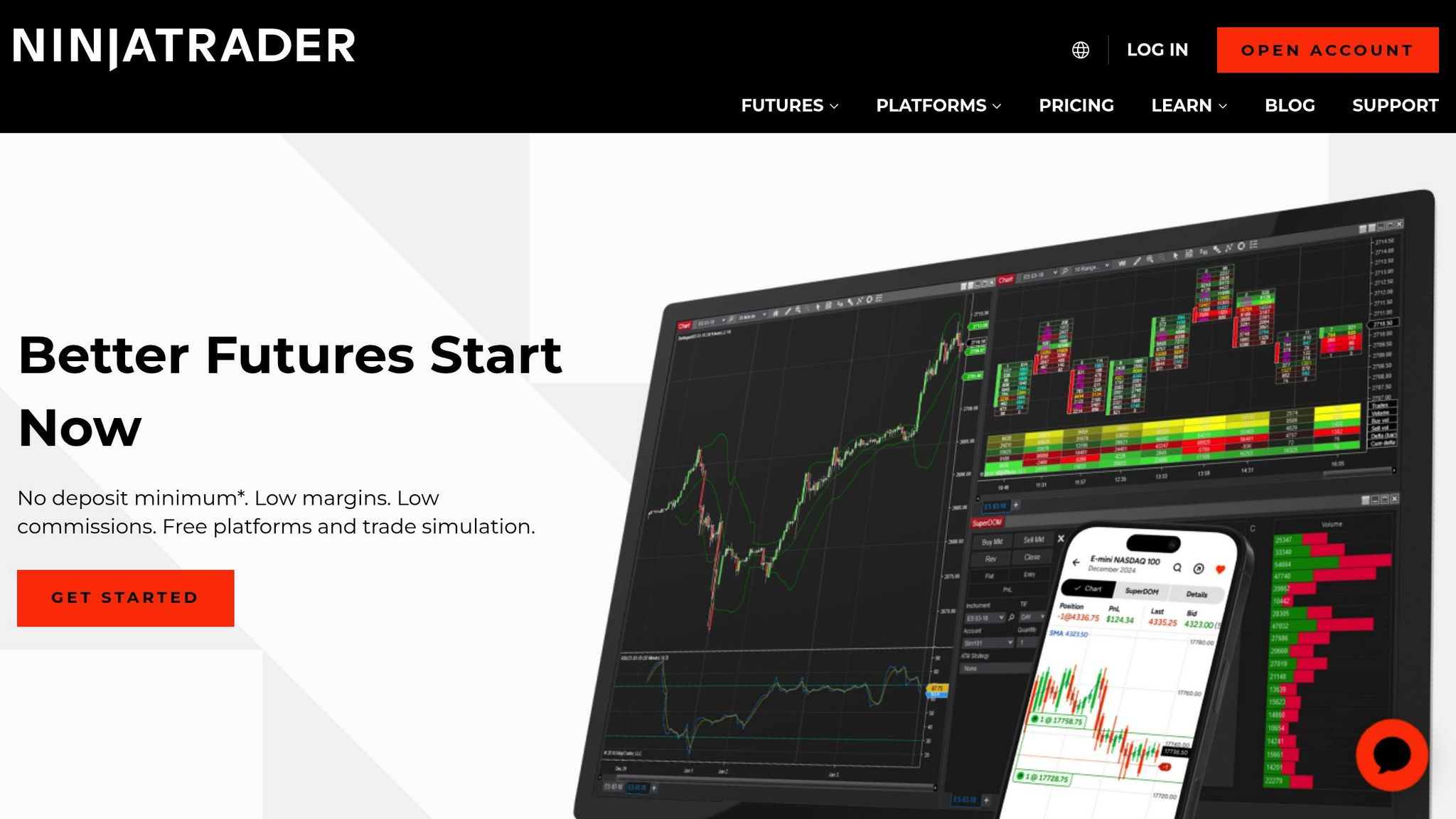
NinjaTrader's simulation environment offers access to a wide range of markets, including Equity Index futures (like E-mini and Micro contracts), Forex, Crypto, Metal, and Energy futures [3][10]. This variety allows traders to explore some of the most actively traded contracts without any cost. For those with smaller accounts, the simulator also supports intraday margins as low as $50 for equity index E-mini futures, helping users better understand position sizing [10].
Data Quality
To complement its broad market coverage, NinjaTrader provides high-quality, real-time data. During the free 14-day trial, users can access live streaming market data, enabling them to practice with actual price movements instead of artificial ones [2][11]. Even after the trial ends, the Market Replay feature allows traders to download historical tick data and replay it as though it were live, with all charts and tools synchronized [2]. Additionally, the Simulated Data Feed lets users manually control the market environment to test automated strategies [2]. As NinjaTrader puts it:
"Replay free historical market data tick by tick, fully synchronized across your trading platform as if it was happening in real time." – NinjaTrader [2]
These features ensure precise and realistic practice for traders.
Order Management Tools
Accurate data feeds directly into NinjaTrader's efficient order management tools. The platform includes Chart Trader, which allows users to place orders right from their charts, and a Trading DOM (Depth of Market) that displays the exchange's limit order book for quick trade execution [12]. The Sim101 account keeps track of key metrics like cash balance, profit and loss, and other financial details, mirroring the experience of managing a live account. Users can also customize the Sim101 account by right-clicking it in the Control Center and selecting "Edit Account" to adjust commission rates and margin requirements, making the simulation as realistic as possible [12].
Automation and Backtesting Support
NinjaTrader goes beyond basic simulation with its leading tools and platforms for automated futures and backtesting. The platform supports custom automated strategies through its high-performance engine and NinjaScript, a programming language designed for creating rule-based systems [2][11]. These strategies can be tested against historical data and then implemented in the simulator or live markets. With support for over 1,000 third-party apps and add-ons, plus more than 100 built-in technical indicators, NinjaTrader provides traders with a wide array of tools [11][9]. In recognition of its features, Investopedia named NinjaTrader the "Best for Dedicated Futures Traders" in late 2025, particularly for its ability to execute trades directly from customizable charts [10]. These capabilities help traders prepare effectively for the demands of live trading.
2. Tradovate Free Simulated Futures Trading
Market Coverage
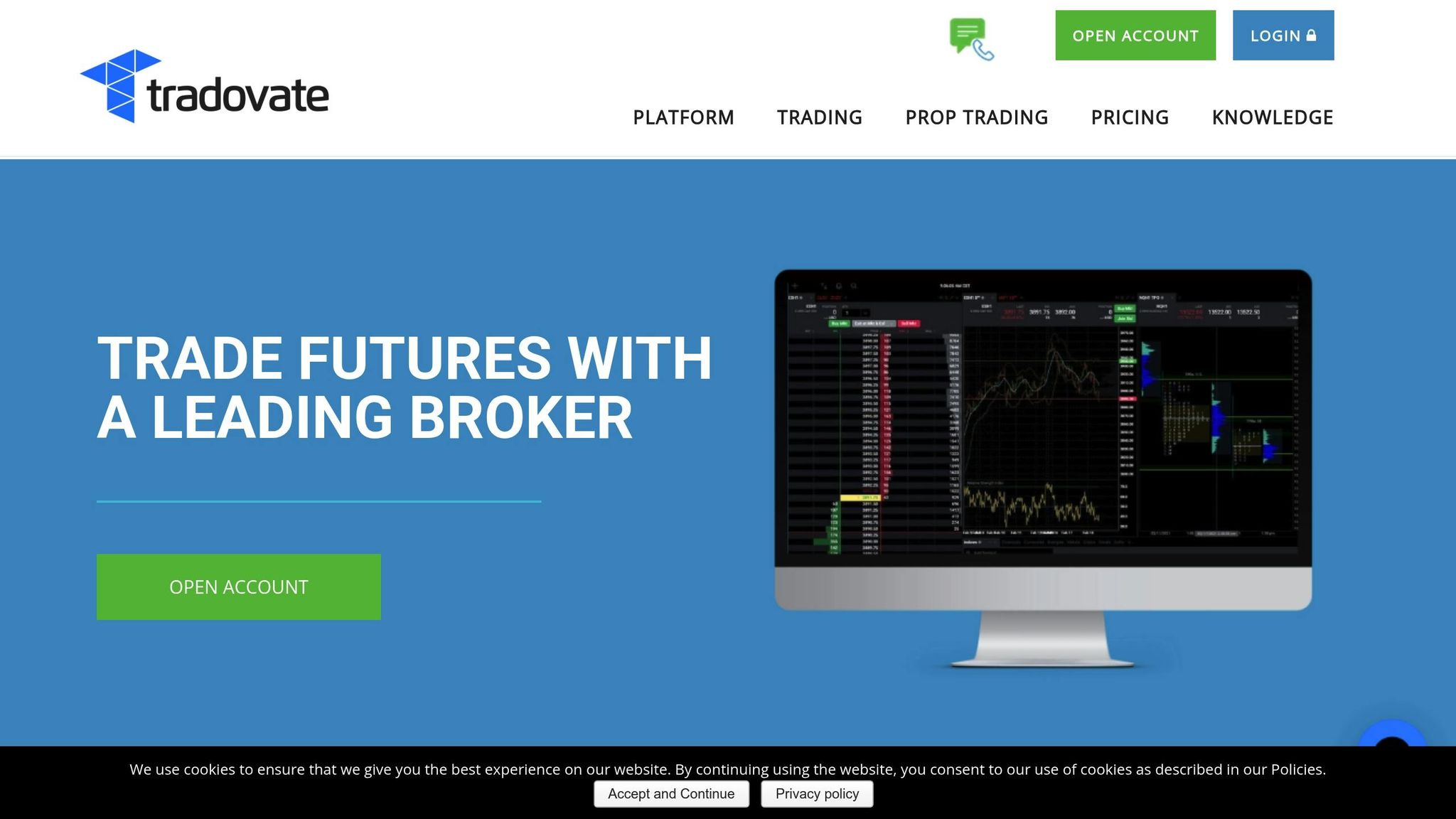
Tradovate's free simulation provides access to a wide range of CME Group products, spanning Index, Forex, Crypto, Metals, Energy, Interest Rates, and Grains on CME, CBOT, NYMEX, and COMEX [3][13]. Traders can experiment with full-size, mini, and micro contracts, helping them grasp the nuances of different leverage levels and capital requirements. The platform also includes Options on Futures and futures spreads, supported by a specialized Spread Matrix, which allows users to gain hands-on experience with advanced trading products. This extensive market access enables traders to practice cross-market strategies, such as combining Crude Oil trades with mini-Nasdaq contracts to explore portfolio risk [5]. Additionally, the platform's high-quality data enhances this comprehensive market exposure.
Data Quality
The 14-day free trial offers live streaming market data [3][6]. Tradovate's Market Replay tool utilizes unfiltered tick data and provides full market depth, allowing for detailed historical analysis [6][14]. All orders are managed either server-side or directly at the exchange, ensuring that exit strategies and bracket orders remain intact even during connectivity issues. Simulated accounts start with $50,000 in virtual funds, creating a realistic trading environment [3]. As Tradovate highlights:
"Tradovate's simulation account lets you trade in real time with adjustable simulated funds" [3].
Order Management Tools
Tradovate equips traders with advanced order management capabilities, including OCO (One-Cancels-Other) brackets, OSO (One-Sends-Other), trailing stops, trailing stop-limits, and GTD (Good-til-Date) orders [6][14]. The platform's high-speed Depth of Market (DOM) module enables one-click order entry and displays the exchange's limit order book, making position management quick and efficient. Traders can also place orders directly on charts and define multiple target and stop levels. Tradovate emphasizes:
"Tradovate's cloud-based platform holds all orders either securely at the exchange or server-side, never on your device. Trade confidently knowing that a computer crash or internet disruption will not cause your exit orders or strategies to fail" [14].
Automation and Backtesting Support
Tradovate takes things further with advanced automation tools. Its proprietary Market Replay tool, hosted in the cloud, allows users to replay trading sessions at speeds of up to 4x. This feature is especially useful for testing strategies against high-volatility events, such as Federal Reserve announcements [14]. According to Tradovate:
"Tradovate's proprietary cloud based Market Replay tool enables strategy replay for previous time periods including Federal Reserve releases without having to download files" [14].
The platform also allows traders to simulate trades during these replayed sessions, providing a safe space to refine strategies before committing real capital. Additionally, Tradovate offers over 40 advanced features, such as TPO Profile charts, volume histograms, and the ability to sync custom dashboards across Windows, Mac, web browsers, and mobile devices. These tools further solidify its value as a practice platform [3][15][14].
3. CME Group Trading Simulator

Market Coverage
The CME Group Trading Simulator offers a practical way to hone trading skills with a focus on structured market data and efficient execution. It provides access to six key asset classes: Equity Index, Energy, Metals, Forex, Interest Rates, and Agricultural products [1]. Traders can practice with standard contracts as well as E-mini and Micro-sized products across four major markets: CME, CBOT, NYMEX, and COMEX [1]. The platform supports both futures and options on futures, along with an Options Grid that displays market depth for options [1]. According to CME Group:
"Trade risk-free with real market data across all our asset classes. Test and explore new strategies with the simulator, whether you're trading standard, E‑mini or Micro‑sized products." [1]
This extensive market access allows traders to practice in an environment that closely resembles live trading conditions.
Data Quality
The simulator uses real CME Group exchange data, delayed by 10 minutes [16]. With a Price Ladder showing 10 levels of bid/ask data, traders can analyze historical trends and gain insights into market liquidity and volatility [4][8]. The platform also includes a Strategy Simulator that lets users test "what-if" scenarios using Monte Carlo simulations. These scenarios - like "Up Fast" or "Down Slow" - help assess performance against historical data [8][17].
Order Management Tools
The CME Group simulator features 1-click trading, enabling quick execution without confirmation windows [4]. The Price Ladder provides precise entry and exit points, using real-time liquidity data across 10 depth levels [4]. Traders can execute standard order types, including Market, Limit, Stop, and Stop Limit, for both futures and options. Additional tools like the Trade Plan allow users to set risk limits and objectives before starting a session, while the Trade Log automatically records all trades for later review [1]. The platform also offers up to 10 customizable workspaces, where users can arrange drag-and-drop widgets to match their trading preferences [1].
Automation and Backtesting Support
While the simulator doesn’t fully support automated algorithmic trading, it includes backtesting tools for manual analysis. Indicators such as RSI, Bollinger Bands, and Moving Averages allow traders to test strategies manually [4]. The Strategy Simulator enables scenario-based testing by adjusting variables like price, time decay, and volatility [4][8]. Additionally, the Multi-chart view helps traders perform intermarket analysis, such as comparing E-mini S&P 500 futures with WTI Crude Oil futures to spot correlations [16]. Notably, the simulator and its private environments are available at no cost [1].
Advantages and Disadvantages
After exploring the features of each platform, it's clear that every trading simulator has its own strengths and limitations. These differences cater to various trading styles and experience levels, so understanding what each offers can help you make the right choice.
NinjaTrader is a favorite among serious futures traders and those who enjoy coding custom strategies. Its advanced analytics and market replay capabilities are standout features [2][5]. However, the platform's complexity can be a hurdle for beginners. The interface requires time and effort to master, and live market data comes with a subscription fee [2][5][10]. Investopedia even named it "Best for Dedicated Futures Traders" in 2025, which highlights its appeal to professionals [2].
Tradovate shines with its clean, user-friendly design and cloud-based functionality, making it accessible on desktops, tablets, and mobile devices [7][5]. Beginners will appreciate the $50,000 in virtual funds during the 14-day trial [3][7]. However, it falls short when it comes to the advanced analytics offered by NinjaTrader. Additionally, features like live market data or extended replays require extra fees [5][7].
CME Group's simulator is tailored more for educational purposes, offering free access to all six CME asset classes [1][5]. It’s perfect for beginners who want to learn the basics of CME futures contracts but lacks the depth needed for long-term professional use [5].
Here’s a quick comparison to summarize these points:
| Simulator | Primary Strength | Primary Weakness | Best For |
|---|---|---|---|
| NinjaTrader | Advanced analytics, market replay, automation support [2][5] | Steep learning curve; complex interface [5] | Serious traders and coders [10][5] |
| Tradovate | Cloud-based accessibility, user-friendly interface [7][5] | Limited advanced analytics [5] | Beginners and intermediate traders [5] |
| CME Group | Free educational focus across all CME asset classes [1][5] | Not designed for long-term professional practice [5] | Absolute beginners and students [5] |
Interestingly, over 80% of traders report noticeable skill improvement within just three months of using these simulators, with some reducing their trading risks by as much as 50% [9]. This highlights the value of choosing the right platform for your needs.
Conclusion
The best simulator for you will depend on your trading experience and goals. If you're just starting out, the CME Group Trading Simulator is a great place to begin. It helps you grasp essential contract details like tick sizes, margins, and multipliers, making it a solid foundation for learning the ropes [5].
As you gain confidence, Tradovate might be the next step. Its cloud-based platform works on desktop, web, and mobile, offering a flexible way to hone your skills [6].
For traders diving into automated strategies, NinjaTrader stands out. With its C# development framework and powerful backtesting engine, you can test your ideas against historical data before committing real money. The platform’s Strategy Builder is especially helpful for validating your concepts [18].
Discretionary traders can also benefit from features like Market Replay, available on both NinjaTrader and Tradovate. This tool lets you replay historical tick data, allowing you to refine your timing for entries and exits as if you were trading live [3].
For those using NinjaTrader or Tradovate, consider investing in one of the best VPS providers for futures trading to enhance performance. A VPS reduces latency by placing your setup closer to exchange servers, ensuring smoother simulations. For example, TraderVPS offers plans tailored for NinjaTrader, starting at $69 per month. Their VPS Lite plan includes 4× AMD EPYC cores, 8 GB RAM, and supports 1–2 charts, providing a reliable and efficient practice environment.
FAQs
What sets NinjaTrader, Tradovate, and CME Group simulators apart for futures trading practice?
NinjaTrader’s simulator comes built into its trading platform and offers a robust backtesting engine with features like tick-by-tick playback. This tool lets traders test their strategies using historical data and provides unlimited simulation access for funded accounts after a 14-day free trial.
Tradovate provides a dedicated simulation tool called Tradovate SIM, available for $12.95 per month (or through a 14-day free demo). It includes modern, multi-device charting with over 50 indicators, customizable simulated balances, and advanced tools like depth-of-market and TPO profiles. Add-ons for real-time data and market replay are also available.
The CME Group simulator is a web-based platform streaming live futures and options data straight from the exchange. While it doesn’t feature advanced charting, it delivers a professional environment for practicing order entry and risk management. Users can access both real-time and historical market data, making it a valuable resource for educational purposes.
How can a futures trading simulator help me improve my trading skills?
A futures trading simulator gives you the chance to practice and fine-tune your trading strategies in a completely risk-free setting. It’s an excellent way to build confidence and gain experience without risking any of your hard-earned money. You can try out different order types, test varying position sizes, and experiment with entry and exit strategies - all while mastering key risk management techniques.
Another big advantage is the ability to replay historical market data. This feature lets you see how your strategies would have performed under different market conditions. Plus, it helps you get comfortable with the platform’s tools, such as charting and order management features, so you’re ready to handle real trades when the time comes. Regular practice with a simulator can help you develop discipline, avoid emotional decision-making, and sharpen the skills needed for successful futures trading.
Is NinjaTrader a good choice for beginners despite its complexity?
NinjaTrader is often a solid choice for beginners, despite its learning curve. One of its standout features is the free futures trading simulator paired with paper-trading tools. These tools let new traders test out strategies, sharpen their trading skills, and experiment with risk management - all in a risk-free environment.
This hands-on experience gives beginners a realistic feel for trading, helping them build confidence and prepare for live trading when they're ready.