TC2000 Stock Charting Assessment: Worth the Investment in 2026?
TC2000 remains a strong choice for active traders in 2026, offering fast scanning, customizable charting, and direct trading integration. Its EasyScan engine processes data in seconds, making it ideal for day and swing traders focused on U.S. and Canadian equities. However, it has limitations: no support for crypto, forex, or futures, and it lacks automated backtesting and AI-based features.
- Pricing: Subscriptions range from $24.99 to $99.99/month, with additional costs for real-time data feeds.
- Strengths: Speed, proprietary indicators, and tools for options trading.
- Weaknesses: Windows-only desktop app, limited market coverage, and no advanced automation.
- Best For: Traders who prioritize speed and technical analysis over broader market access.
Mac users can pair TC2000 with a VPS (starting at $69/month) for improved performance and uptime. While the combined costs can add up, the platform excels for traders who need fast, reliable tools for high-frequency analysis. Casual investors or those seeking broader market access might find better alternatives.
1. TC2000 Stock Charting Platform
Charting Features
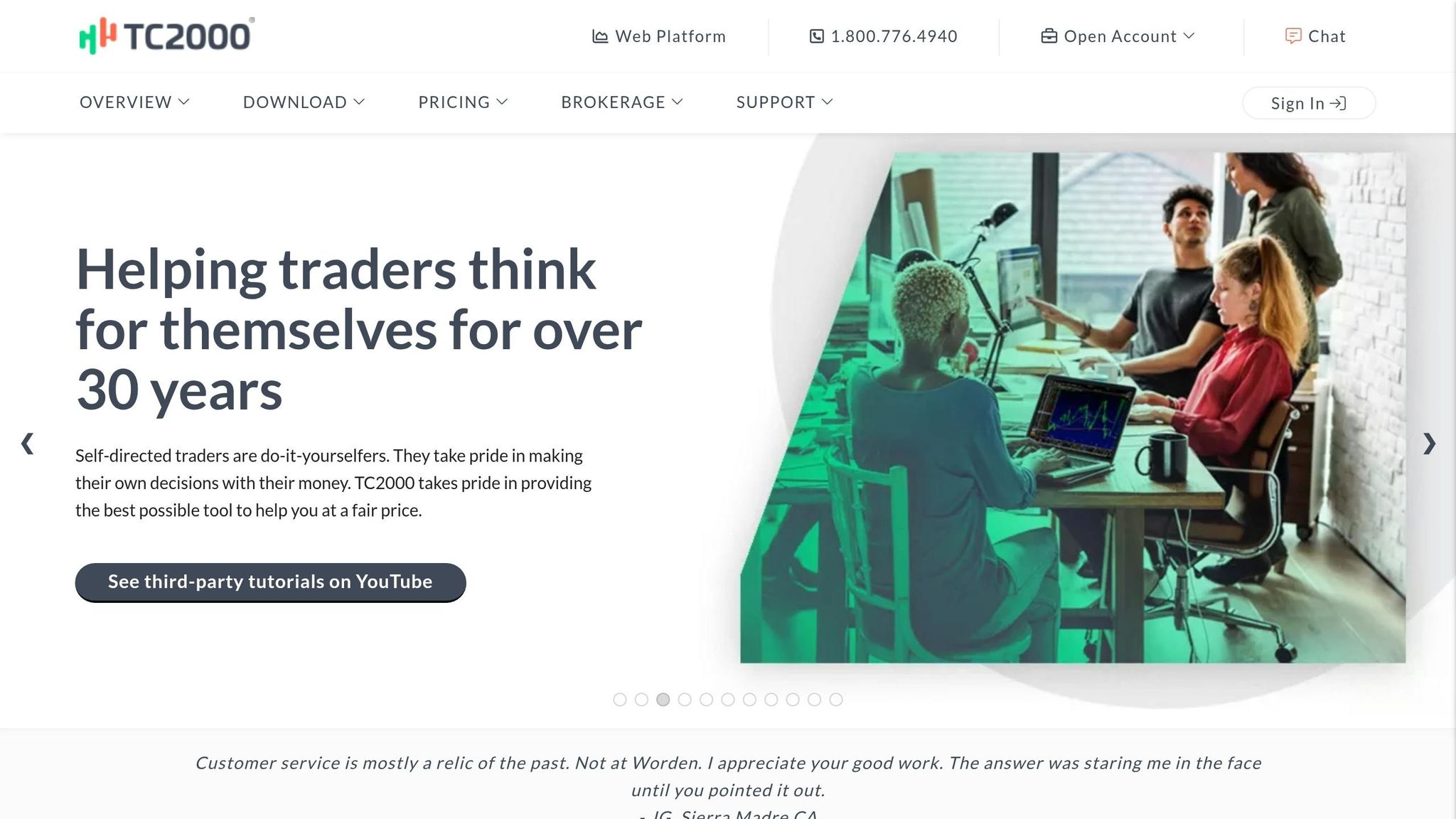
TC2000 stands out with its fast and highly customizable charting tools. The platform's EasyScan® engine processes millions of data points in seconds, making it easier for traders to identify sector rotations quickly [4].
It also offers proprietary indicators created by Worden Brothers, such as MoneyStream®, Time Segmented Volume® (TSV), and Balance of Power® (BOP). These tools provide insights that go beyond conventional indicators [4]. For options traders, TC2000 includes patent-pending P&L zones, which overlay profit, loss, and breakeven levels directly on charts. These zones adjust dynamically as you modify strike prices or expiration dates. With access to over 100,000 option contracts and live bid/ask data, it’s a robust feature for options trading [5][1].
"TC2000 lets me flip through hundreds of charts in minutes using the spacebar - I can go through 1,000 charts in 20-30 minutes. That speed is something no other platform has matched for me." - Kunal Desai, CEO, Bulls on Wall Street [2]
For those who want to go further, the platform supports Personal Criteria Formulas (PCF). These allow users to create custom indicators, scans, and watchlist filters without relying solely on pre-built templates [1][2].
TC2000 isn't just about charting - it integrates trading functionality directly into the platform, making it a one-stop solution for technical traders.
Trading Infrastructure Integration
TC2000 bridges analysis and execution seamlessly. It offers direct trade execution through its proprietary brokerage, which clears via Interactive Brokers. Traders benefit from 4:1 intraday margin and visual trading capabilities, allowing them to drag-and-drop limit or stop orders directly onto charts while tracking positions in real time [6][7][2]. Options traders can execute multi-leg strategies directly from the chart, complete with dynamic P&L zones [6][7].
Another useful feature is "Linked Financial Websites", which automatically syncs your active symbol with external sites like Google Finance, Yahoo Finance, and StockTwits in a separate browser window [3][7].
However, TC2000 has limitations: it doesn’t support direct execution through third-party brokers like E*Trade or Schwab. For those using these services, you’ll need to analyze in TC2000 but execute trades elsewhere [2][3]. Additionally, the platform doesn’t cover cryptocurrency, futures, or forex markets [2][3].
Despite these gaps, the platform's infrastructure is designed for efficient trading in fast-moving markets.
Pricing and Value
TC2000 offers three subscription tiers: Basic ($24.99/month), Premium ($49.99/month), and Premium+ ($99.99/month). Opting for annual billing lowers these to $20.82, $41.65, and $83.32 per month, respectively [4][1]. The Premium+ plan includes advanced tools like Market-Pulse gauges, 1,000 alerts, and historical condition testing - features that active traders depend on for real-time decision-making [4][1].
Add-ons for real-time data come at an additional cost. For example, U.S. options data is $9.99/month, and consolidated tape data is $14.99/month [1]. If you maintain a TC2000 Brokerage account with a $30,000+ balance or make at least one trade per month, you’ll receive a $25/month discount on the Premium+ plan [1]. Stock and ETF trades are priced at $4.95 flat, while options cost $2.95 plus $0.65 per contract [2][3][7].
"If you check charts once a week, you're paying for a race car to drive to the grocery store." - TraderHQ Staff [1]
For traders who actively scan and analyze hundreds of symbols daily, TC2000’s speed and specialized tools make it worth the price. On the other hand, casual investors may find the platform more than they need [1].
Performance and Usability
TC2000 is optimized for Windows, delivering the best experience through its native desktop client. This version offers the fastest scanning and chart navigation. Mac users can access the platform via Parallels Desktop or the web-based version, but both are slower compared to the Windows client [4][2].
The platform also provides unlimited paper trading accounts, allowing users to test strategies risk-free. Its spacebar shortcut is a standout feature, enabling rapid chart flipping [5][4][2].
TC2000 has earned high marks, with a 4.95/5 rating from Bulls on Wall Street and a 4.6/5 from Liberated Stock Trader [2][7]. However, users have noted some drawbacks, including the absence of automated backtesting, no native Mac app, and no support for crypto or futures [1][8]. Still, for U.S. stock and options traders focused on speed and clarity, TC2000 remains a leading choice in 2026.
2. TraderVPS for High-Performance Trading
Trading Infrastructure Integration
TC2000 is designed to run seamlessly on Windows, ensuring top-notch performance on PCs. TraderVPS complements this by offering Windows Server 2022 environments tailored for trading platforms. With dedicated hardware, you can experience TC2000's full desktop capabilities. The infrastructure includes NVMe storage and high-speed network connections, allowing TC2000's EasyScan engine to process data without delays - perfect for time-sensitive market activities.
Performance and Usability
TraderVPS takes trading efficiency to the next level with its reliable hardware and continuous uptime. A VPS ensures your trading setup operates 24/7 without interruptions, even when running resource-heavy charting tools. You can scan hundreds of symbols using TC2000’s spacebar chart-flipping feature or let scans run overnight, all while enjoying consistent performance from any device.
TraderVPS offers several plans to suit different needs:
- VPS Lite: $69/month, includes 4x AMD EPYC cores and 8GB RAM.
- VPS Pro: $99/month, with 6x cores and 16GB RAM - great for using TC2000 with multiple charts and live data feeds.
- Dedicated Servers: $299/month, featuring 128GB RAM and support for up to 6 monitors.
All plans come with DDoS protection, automatic backups, and global server locations to reduce latency during trading hours.
TC2000 Review and Tutorial - Best Charting App? 📈
Pros and Cons
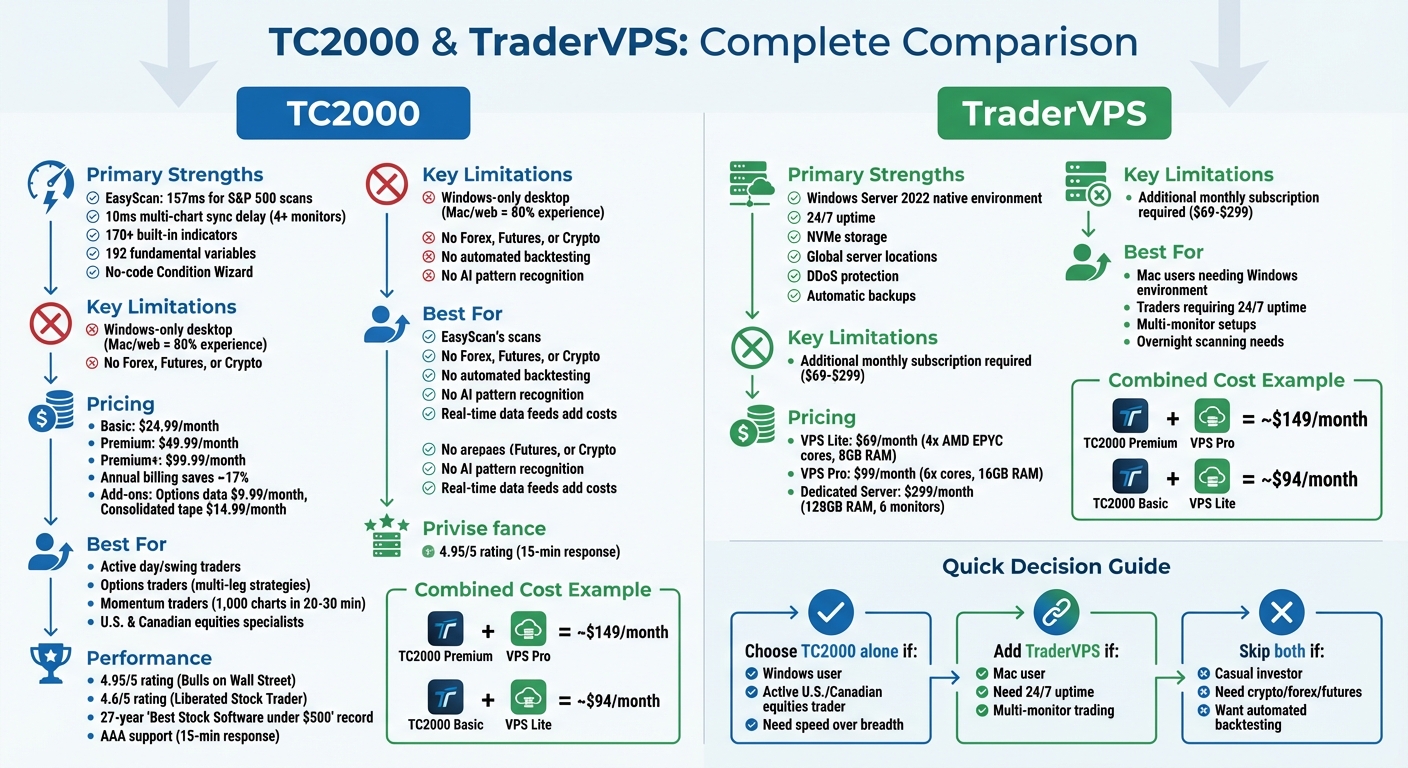
TC2000 vs TraderVPS: Features, Pricing, and Best Use Cases Comparison
The table below highlights the main advantages and drawbacks of TC2000 and its integration with TraderVPS.
| Aspect | TC2000 | TraderVPS |
|---|---|---|
| Primary Strengths | - EasyScan processes S&P 500 scans in just 157ms[9] - 10ms multi-chart sync delay, even with 4+ monitors[9] - Over 170 built-in indicators and 192 fundamental variables[9] - No-code Condition Wizard for creating advanced screens[1][9] |
- Windows Server 2022 native environment - 24/7 uptime for uninterrupted operation - NVMe storage for faster data handling - Global server locations to minimize latency |
| Key Limitations | - Desktop app is Windows-only; Mac and web versions provide about 80% of the full experience[1] - No support for Forex, Futures, or Cryptocurrency[1][9] - Lacks automated backtesting and AI-based pattern recognition[9][10] - Real-time data feeds can become costly over time[1][2] |
- Additional monthly subscription required ($69–$299) |
| Best Suited For | - Active day and swing traders scanning hundreds of stocks daily - Options traders using multi-leg strategies - Momentum traders flipping through up to 1,000 charts in 20–30 minutes[2] - Specialists in U.S. and Canadian equities |
- Mac users who need a Windows-based environment to run TC2000 - Traders requiring 24/7 uptime for alerts and charting - Users with multi-monitor setups or overnight scanning needs |
| Pricing Reality | - See the Pricing and Value section for full details - TC2000 Brokerage users get a $25/month discount on Premium+ subscriptions[1][9] |
- Plans range from $69/month (VPS Lite) to $299/month (Dedicated Server), including features like DDoS protection and automatic backups |
| Performance Trade-offs | - 27-year record as "Best Stock Software under $500"[1] - AAA support rating with 15-minute response times[1][9] - Limited market coverage due to no crypto or futures support |
- Dedicated resources maintain TC2000's 10ms sync delay and eliminate reliance on local hardware - May offer more capability than necessary for traders with lighter workloads |
TC2000 is known for its speed and advanced features, but it requires a strong commitment. With a 4.3/5 rating from Liberated Stock Trader, which classifies it as "Advanced Pro/High-performance,"[9] TC2000 is ideal for active traders, though it might not suit casual investors.
TraderVPS, on the other hand, addresses TC2000's dependency on Windows by providing a full desktop experience for Mac users, along with uninterrupted uptime for continuous alerts. For example, pairing a $99/month VPS Pro plan with a TC2000 Premium subscription (around $49.99/month) creates an efficient setup for managing multiple live charts.
However, combining these platforms and data feeds can lead to higher monthly costs, which should be carefully considered. Barry D. Moore, CFTe, offers this insight:
"TC2000 is not the tool you choose if your process depends on validating strategies with historical simulation"[9]
This combination is particularly effective for high-frequency scanning and maintaining consistent performance. As Kunal Desai, CEO of Bulls on Wall Street, explains:
"The ability to create multiple custom layouts in TC2000 - one for day trading, one for swing trading, one for options - and flip between them instantly is something TradingView cannot touch"[2]
When paired with TraderVPS, TC2000's 10ms responsiveness remains intact across multiple monitors, all while reducing the strain on local hardware.
Conclusion
TC2000 stands out in 2026 as a go-to platform for active traders who value fast scanning and technical analysis over features like social trading or access to global markets. With a 27-year history as the "Best Stock Software under $500" [1] and an impressive 4.83/5.0 lab score [9], TC2000 delivers exceptional performance. Its EasyScan engine can sift through millions of data points in seconds, making it a favorite for day and swing traders who need speed and precision. For high-frequency traders, this efficiency is a game-changer, though it may not cater to every investor's preferences.
That said, TC2000 is not ideal for casual investors. As Barry D. Moore, CFTe, explains:
"You buy TC2000 for workflow and speed, not because it's the lowest cost way to cover every feature category" [9].
The platform lacks automated pattern recognition, advanced backtesting tools, and support for cryptocurrency or forex trading. These omissions mean traders with more diverse needs might find themselves seeking alternatives.
For Mac users or those requiring constant uptime, combining TC2000 with TraderVPS offers a seamless Windows-native experience, ensuring reliability without compromise.
The monthly cost ranges from approximately $39.98 (Gold tier with basic data feeds) to $149.98 or more (with TraderVPS and additional data feeds). This pricing makes sense only for traders actively focused on U.S. and Canadian equities. For those who trade occasionally or prioritize international markets, the investment might feel less worthwhile.
Ultimately, TC2000 excels in its niche. If your trading strategy aligns with its specialized capabilities, it’s a powerful tool. However, if your needs extend beyond its core strengths, you might be paying for features you won’t fully use. For dedicated U.S. and Canadian equities traders, though, TC2000 remains a top-tier choice.
FAQs
Which TC2000 plan is best for my trading style?
The right TC2000 plan for you depends on what you’re looking for in a trading platform and your level of experience. If you’re after the basics, the Silver plan at $9.99/month offers essential charting and analysis tools that work well for most traders. However, if you need advanced features - like drawing tools, real-time scanning, or the ability to trade stocks and options directly - you’ll want to explore the Gold or Platinum plans, which come with more extensive functionalities. Pick a plan that matches your trading style and the level of complexity you’re comfortable with.
How much do TC2000 real-time data feeds cost per month?
TC2000 offers real-time data feeds for just $9.99 per month. This subscription provides live market updates, ensuring traders have the latest information at their fingertips to make informed decisions.
Is TC2000 worth it if I trade on a Mac?
Yes, TC2000 is available for Mac users and offers flexibility in how you access it. You can use it through a web browser or the Parallels Client app. However, keep in mind that performance might be a bit slower on Mac compared to other systems. Evaluate your trading requirements to see if it aligns with what TC2000 provides.